
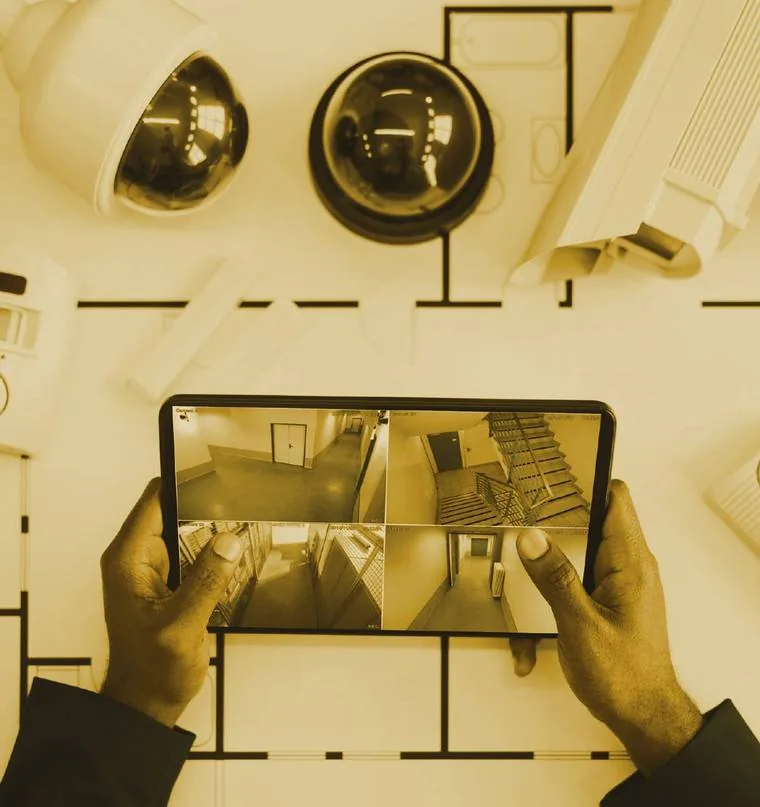
Cameras and smart devices are easy to buy and surprisingly easy to get wrong. A camera that records a blur at night, a system that stops when the internet drops or a smart home with twelve apps that do not talk to each other is a common story. The difference between a frustrating installation and a reliable one is almost always planning.
This guide covers the basics for homes, businesses and larger sites: decide what you want to protect or automate, plan cameras and coverage, design the network and power, choose storage and remote access, secure the system and keep it maintained. It follows the way our CCTV and surveillance, networking and smart home automation teams work.
Key takeaways
- Write down goals first: deterrence, evidence, live monitoring or home comfort.
- Placement matters more than camera count; test at night and consider light and angle.
- Use wired power-over-Ethernet where possible, a separate network and a UPS.
- Calculate storage, protect remote access and keep firmware updated.
- Check cameras and alerts every quarter and respect privacy.
Start with goals, not devices
Before choosing any hardware, write down what you want. For security, list the areas that matter: entrances, parking, a cash counter, a warehouse, a perimeter. Decide whether the goal is deterrence, evidence after an incident, live monitoring or all three.
For smart homes, list the daily frustrations you want to remove: lights left on, a hot room before you arrive, doors you are not sure you locked, curtains that open in the morning. Prioritize them. A system built around five real needs is better than one with fifty features nobody uses.
Think about who will use it. Family members, staff and guards have different comfort levels, so keep the daily controls simple. Decide what happens when someone is away, and who receives alerts. A clear brief at this stage saves money and prevents redesign.
Plan camera placement and coverage
Where you place cameras matters more than how many you buy. Walk the site and think about what each camera must see, such as faces at an entrance, vehicle plates at a gate or a cash counter from above.
Consider height and angle. Cameras mounted too high see the top of heads, and ones facing bright windows or the sun see silhouettes. Provide enough light, or choose cameras with good low-light and infrared performance for night. Avoid blind spots, but also avoid pointing cameras at private areas.
Choose resolution based on distance and purpose. A wide view for general awareness needs less detail than a camera meant to identify a person at the door. Record a short test at the planned position in the evening, because that is when plans fail. If you are unsure, an on-site survey by our team prevents costly mistakes.
Design the network and power properly
Most camera problems are network or power problems. IP cameras send video across your network, so bandwidth matters. Several high-resolution cameras can overload a weak switch or Wi-Fi link. Use wired connections to cameras whenever possible, and quality switches that support power over Ethernet, which delivers power and data through one cable.
Separate the camera network from your office or home network, so that a problem or attack on one does not affect the other. Plan cable routes, weatherproofing for outdoor runs and surge protection for long cables.
Power deserves special thought. Put the recorder, switch and router on a UPS so the system keeps recording through short cuts and shuts down safely during long ones. Our guide to hosting, networks and backups that survive power cuts covers these principles in detail.
Storage, remote access and smart control
Decide how long you need to keep recordings and calculate the storage. It depends on the number of cameras, resolution, frame rate and whether you record continuously or on motion. Plan extra capacity and consider off-site copies of important clips.
Remote access is convenient, and it is also a risk if done carelessly. Use strong, unique passwords, keep firmware updated and avoid exposing the recorder directly to the internet. Prefer secure remote access methods and give each person only the permissions they need.
For smart homes, pick a system that brings lighting, climate, security and voice control into one app or assistant, rather than a collection of unrelated gadgets. Make sure essential functions, such as lights and locks, still work manually when the network is down. AI analytics can add useful alerts, such as detecting a person rather than a passing shadow, and our AI integration service can connect such features to your systems.
Security, privacy and maintenance
A security camera that can be hacked is a liability. Change default passwords on every device, disable services you do not use, update firmware regularly and separate the network. Use encrypted connections and review who has access, removing accounts when people leave.
Respect privacy. Tell staff and visitors where cameras operate, avoid private areas and set sensible retention periods. Good practice builds trust and keeps you within local expectations.
Finally, maintain the system. Clean lenses, check that every camera records, test alerts and verify that backups and recordings can be retrieved. Schedule a short review every quarter. Systems that are checked rarely fail silently, and a camera that stopped recording last month is no use when you need it today.
A practical example
Consider a warehouse with one gate and a loading yard. After a short survey, the team places one camera on the gate to capture vehicle plates, two in the yard to cover loading, and one inside facing the stock area. They wire the cameras with power over Ethernet, put the recorder and switch on a UPS and set motion alerts for after-hours. Remote viewing is protected with strong credentials. The owner now checks the site from a phone and has clear evidence when a delivery is disputed.
Plan your installation
A reliable camera or smart home system comes from clear goals, careful placement, solid network and power design, secure remote access and regular maintenance. If you are planning a new installation or fixing an old one, start with a site visit and a simple written plan.
The MOMK team designs and installs CCTV, networks and smart home automation for homes, businesses and large sites. Explore CCTV and surveillance, smart home automation and networking, or contact us to arrange a survey.
Frequently asked questions
How many CCTV cameras do we need?
It depends on the areas you want to cover and what each camera must see. A site survey is the best way to decide, because placement and purpose matter more than the number of cameras.
Will the cameras keep recording if the internet goes down?
Yes, if recording is local to a recorder on your own network and protected by a UPS. Internet is only needed for remote viewing, which resumes when the connection returns.
Can smart home devices from different brands work together?
Often yes, through a common platform or hub that brings them into one app. We plan compatibility before buying devices so the system feels unified.
Does MOMK install and maintain these systems?
Yes. We handle design, installation, configuration, training and ongoing maintenance for CCTV, networks and smart automation.
How much storage do CCTV recordings need?
It depends on the number of cameras, resolution, frame rate, whether you record continuously or on motion and how many days you retain footage. A site survey lets us calculate it accurately.
Can we view cameras from our phones?
Yes, with secure remote access. We configure strong credentials, updated firmware and a safe connection method rather than exposing the recorder directly to the internet.
Is smart home automation expensive to start?
You can start small, with lighting or climate in one area, and extend later. A clear plan avoids buying devices that do not work together.
Related services, solutions and reading
- CCTV & Surveillance: HD cameras, remote access and AI analytics for homes, businesses and large sites.
- Networking Services: Secure, high-speed and scalable networks for homes, businesses and enterprises.
- Smart Home Automation: Lighting, climate, security and voice control from one app or AI assistant.
- RGB Business Management: A complete ERP for businesses of every size: finance, HR, sales, procurement and inventory in one place, with business intelligence for better decisions.
- Hosting, networks and backups that survive power and connectivity gaps: Choose hosting by workload, build redundancy into the network and test your restores.
- Offline-first software: building for unreliable connectivity: When only 28.7% of people are online, apps must keep working without a connection. Patterns that make that possible.
- Latest industry news for Sudan and MENA: verified headlines on government, cloud, AI and security.
- Talk to the MOMK team: get a short consultation and a tailored plan.
Want help with this?
Our team can review your situation and propose a plan, in person in Khartoum or online.
Contact us